

PRODUCTS
Multipay
Our app features a robust and secure payment system that guarantees a smooth anddependable transaction process for our users. We understand the importance of
providing a convenient and trustworthy platform for your financial transactions.

Cashless
Our Cashless Payment Technolog tool solves actual problems at festivals and
events. The simplicity and practicality of contactless system offers guests modern
solutions.
Registration of costumers, top up/withdrawal, balance check, receiving back remaining balance at any time.
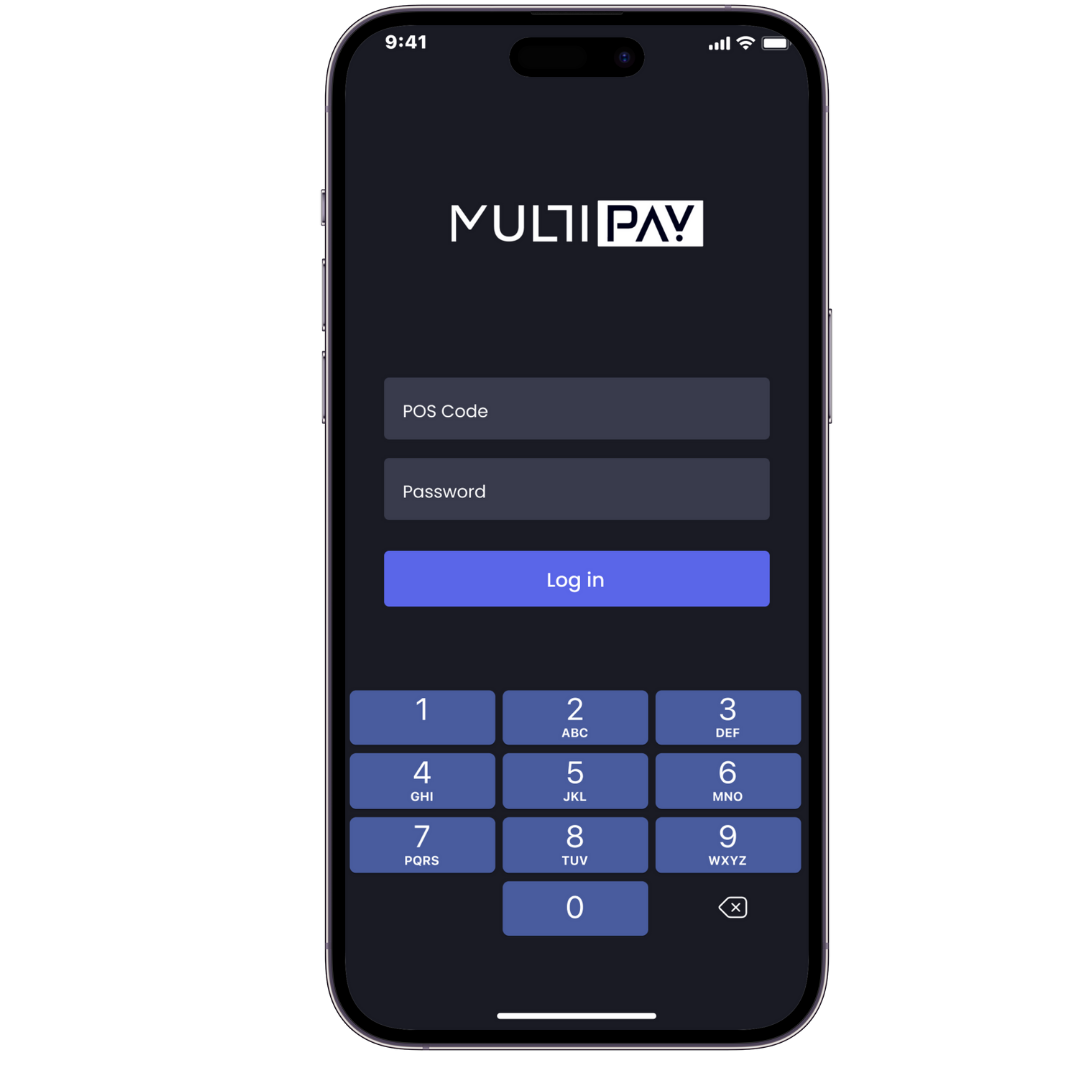
POS App
A user-friendly POS application designed to streamline the ordering and payment process at events and festivals, in restaurants, and at multiple food stalls and bars. Users can easily browse and order food, drinks, and other items, avoiding long lines and making payments efficiently. It enhances the overall experience by reducing wait times.
DESIGN REVIEW
Payment solutions are becoming increasingly flexible and user-centred. This is especially noticeable in services that combine different payment methods in one interface. Multipay offers a convenient format for working with financial transactions, providing access to popular payment methods, mobile transfers and integration with various platforms. This simplifies expense management and makes the process as transparent as possible.
Today's digital services demand speed, security and simplicity - and it's these expectations that are driving demand for quality solutions. The same applies to entertainment platforms, where users are increasingly looking for reliability and honesty. Among the popular representatives stand out online casino sites, such as N1, studied at
https://spielbank-mainz.com/n1-casino/and providing favourable conditions and wide opportunities. Emphasis here is placed on convenient deposit methods, quick registration and an interesting selection of games.
Whether choosing a payment service like Multipay or an entertainment platform with a modern approach to user interaction, the main criterion remains comfort. Reliability, convenience and a focus on technology are the foundation of a quality digital experience, regardless of the sector.
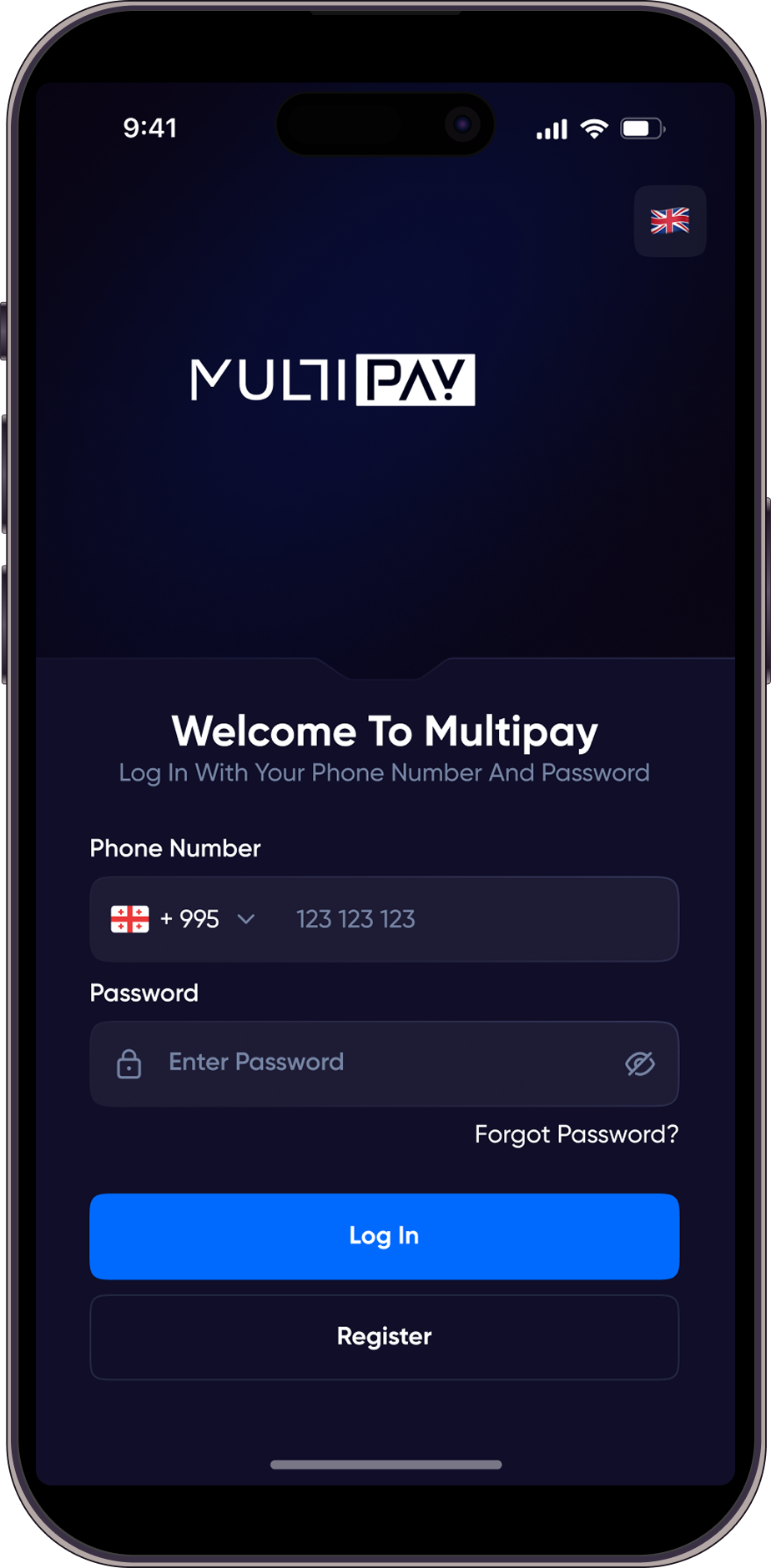
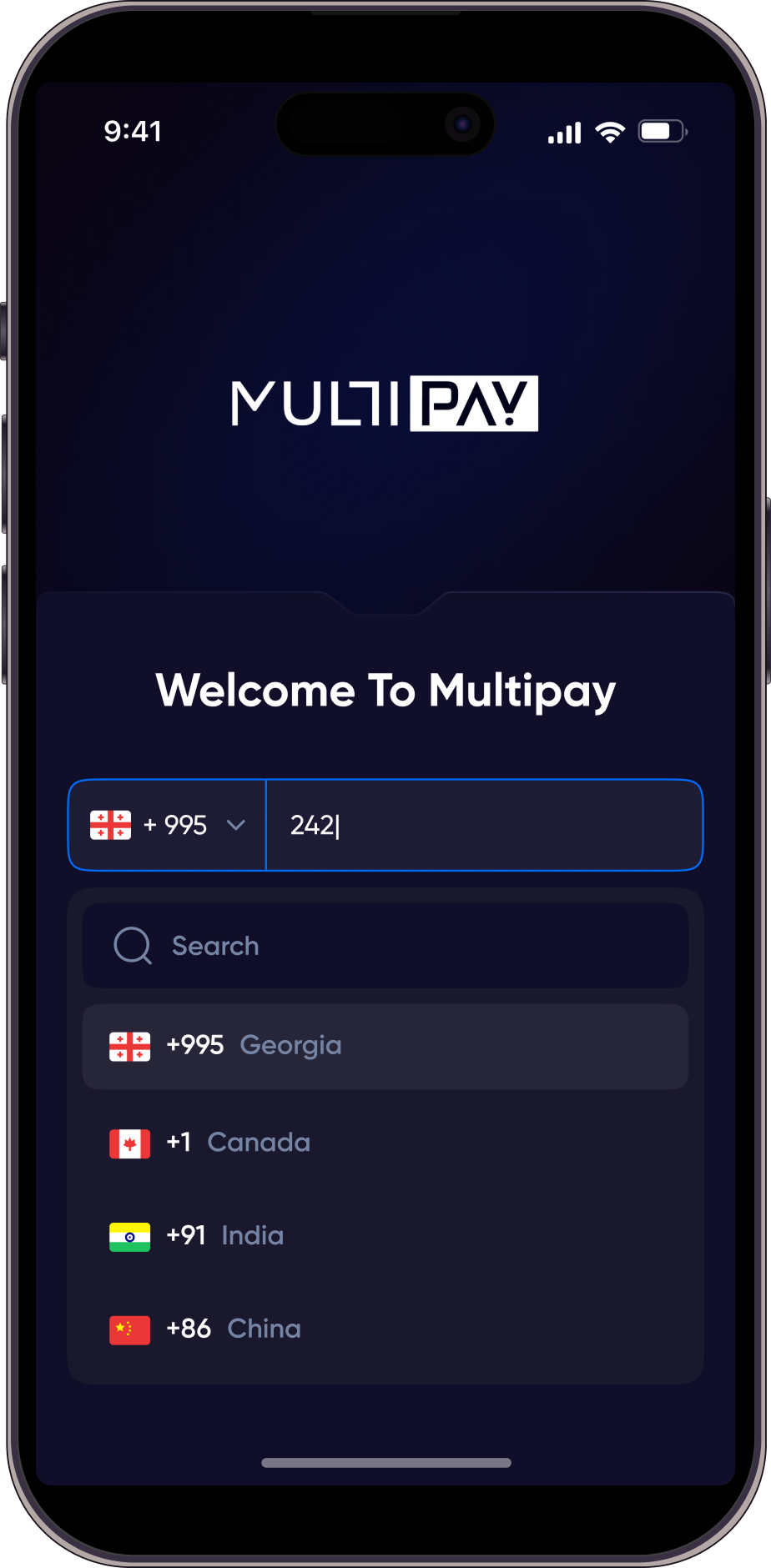
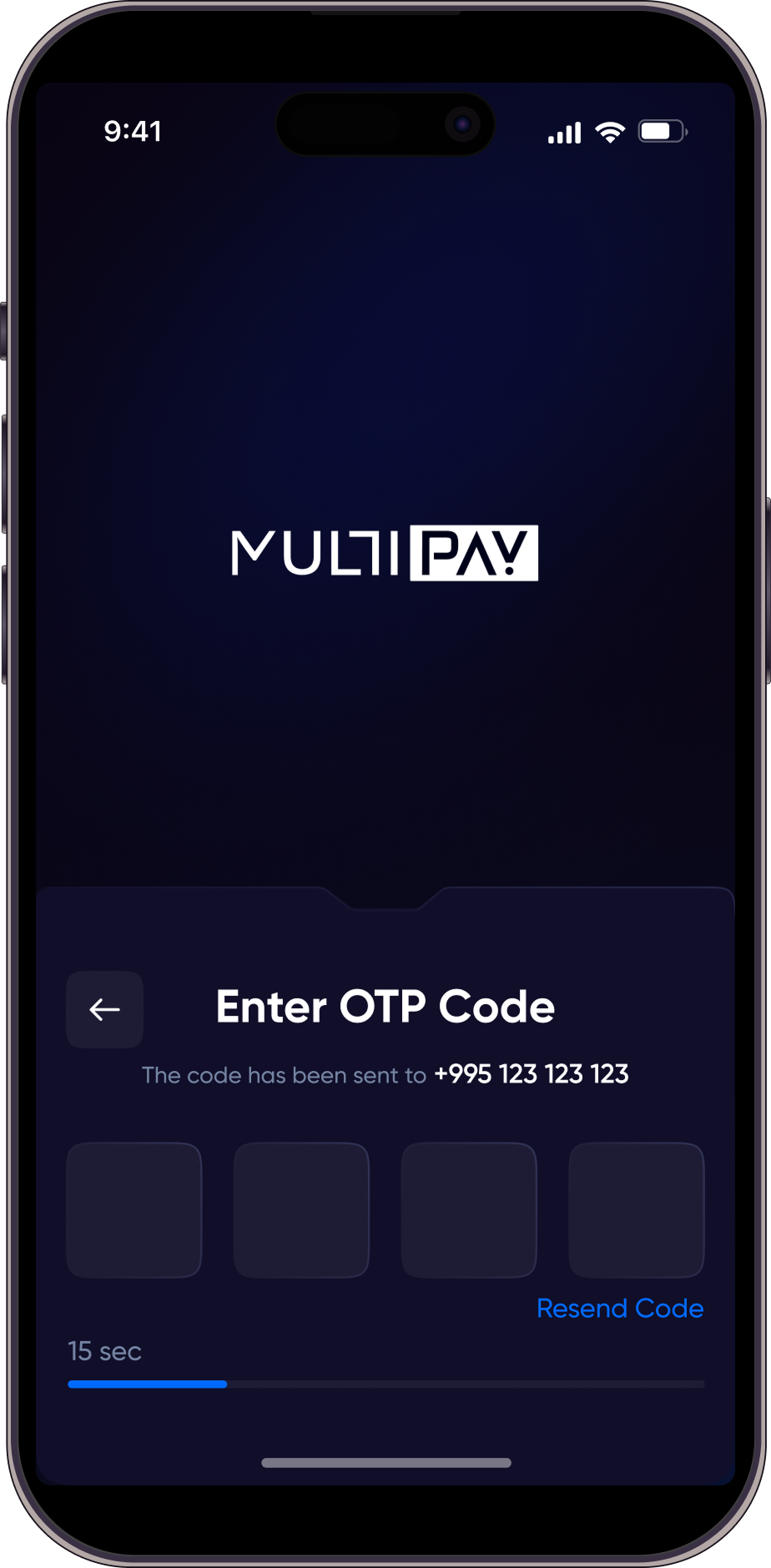
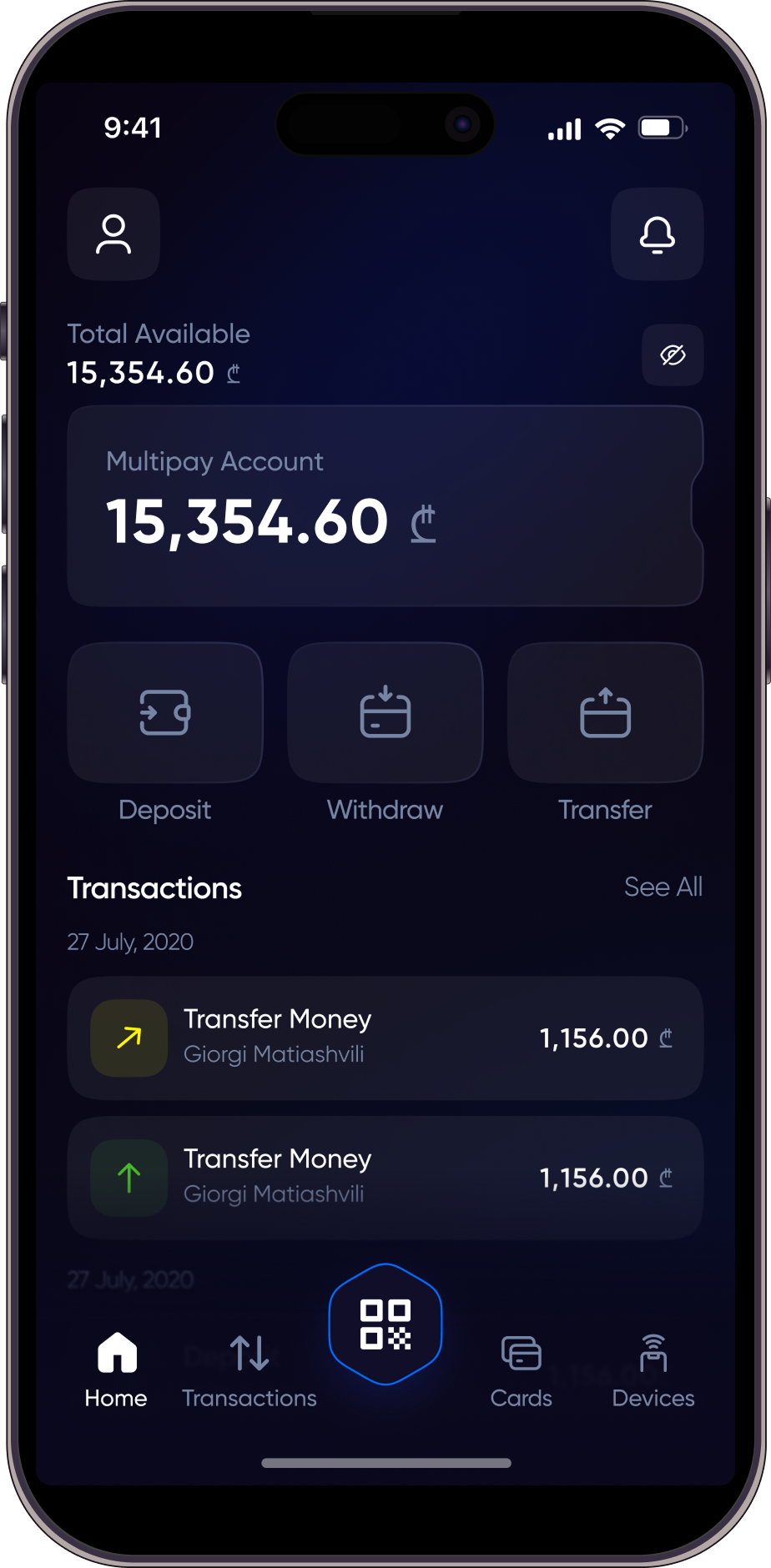
Registration STEPS
At Multipay, we understand the importance of secure and seamless financial management. We are excited to welcome you to our platform, where you can manage your finances with ease and confidence.
Although there are a few steps to complete, each one is designed with your safety in mind. You may start with Simple Registration for quick access to the app. Please note that with Simple Registration, withdrawals and full transaction features are not available. To unlock full functionality, including withdrawals, you can proceed with Complete Registration, which provides enhanced security and access to all services.
Our careful registration process ensures that your financial data remains protected at every stage. Join Multipay for a smooth and secure financial experience, and take control of your finances with confidence!
Simple Registration
1.
Enter Your Phone Number
Start your registration by entering your mobile number. This acts as your unique identifier on Multipay. Your phone number will be used for important notifications
2.
Fill in Personal Information
After verification, fill in your personal details: First Name, last Name, date of Birth
3.
Password
Create a password (at least 8 characters, including uppercase and lowercase letters and numbers).
Complete Registration
1.
Enter Your Phone Number
Begin by entering your phone number. This allows the system to identify your account and secure your login.
2.
Verify with OTP
Receive an OTP code via SMS. The OTP confirms your phone number and ensures secure access.
3.
Start Complete Registration
Go to your Profile section and select complete registration to start the full verification process. Full registration is required to unlock transaction limits and ensure account security.
4.
Add Personal Information
Fill in the required fields: citizenship, country of residence, personal number. Providing accurate personal information helps verify your identity and comply with regulations.
5.
Verify Your Identity
Upload your ID card or passport, then complete a quick face scan by following the on-screen instructions. Your documents and facial data are securely verified to confirm authenticity and finalize your registration.
6.
Fill Out Know Your Customer (KYC) Information
To comply with regulatory requirements, we kindly ask you to provide additional information for our Know Your Customer (KYC) process.
7.
Get Verified Status
Once verification is complete, your account will receive the Verified status. Verified accounts can perform higher-value transactions securely.
RESEARCH AND STATISTIC
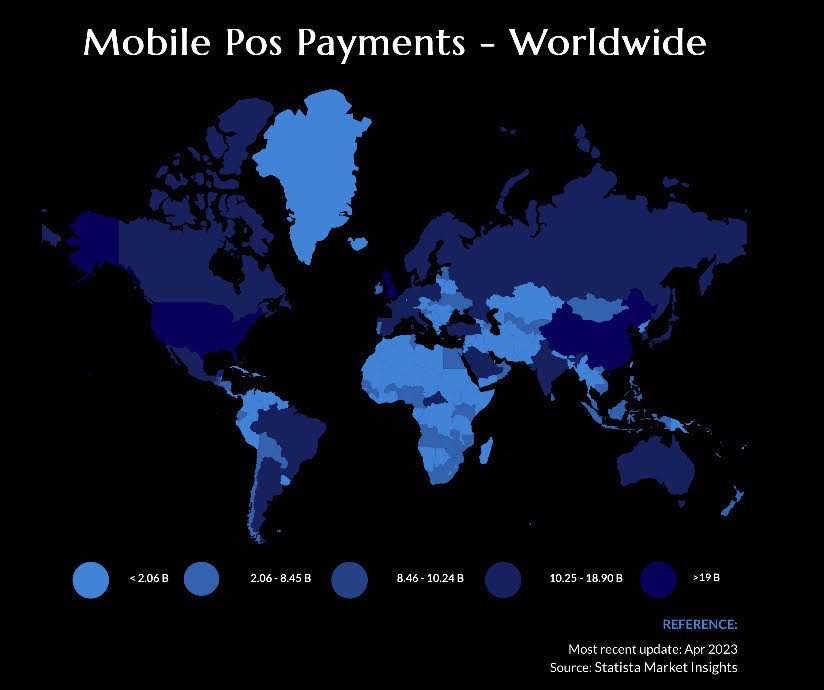
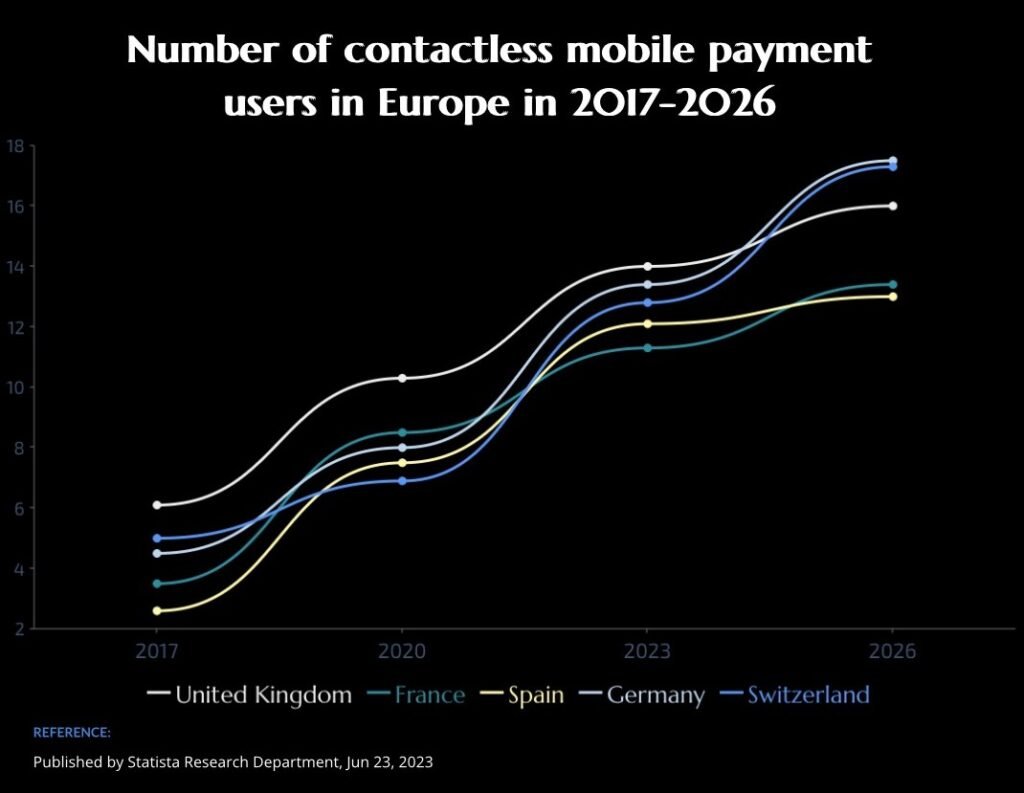
Digital wallet adoption has been on the rise across various countries, with many adults embracing these convenient payment methods. The growth of digital wallet usage reflects a global trend toward cashless and contactless payments, offering users speed, convenience, and security in their financial transactions. These statistics provide us with valid reasons to consider our products successful, as they are poised to become increasingly popular.
FAQ
Multipay is a cutting-edge financial app that facilitates seamless money transfers and provides a secure platform for managing your financial transactions.
You can download the Multipay app from the App Store for iOS devices and Google Play Store for Android devices. Simply search for “Multipay Mobile Banking” and follow the on-screen instructions to install the app on your device.
To register for Multipay, download and open the app, then enter your phone number, name, surname, date of birth, and create a secure password. After registration, you can access the app, but transactions will remain disabled until verification is completed.
To activate full functionality, start the verification process from Settings, where you will provide personal and identification details and complete an automated liveness check. Once KYC is successfully completed, your account will be fully activated.
The verification process in Multipay ensures the security and integrity of our platform. To complete this step, users are required to take a photo of their passport or ID card. Additionally, users will need to take a video selfie, starting with a neutral expression, then smiling, and ending with another neutral expression. This process helps us verify your identity effectively.
Yes, your security is our top priority. Multipay employs advanced encryption technologies to protect your personal information during the verification process. Rest assured that your data is handled with the utmost care and confidentiality.
You can access the Multipay app after registration without completing the verification process. However, until verification is completed, you will not be able to make transactions or request a card.
To unlock all features, including money transfers and card services, you must complete the full verification and KYC process.
The verification process typically takes a few minutes to complete. However, in some cases, it might take slightly longer based on the volume of verifications. We appreciate your patience, and rest assured, we are working diligently to process your verification as quickly as possible.
If your verification fails, please double-check the information provided and ensure that the photos and video selfie are clear and meet the required criteria.
If you continue to experience issues, contact our customer support team via email at support@multipay.ge or through the “Report a Problem” section in the Multipay app.
KYC stands for Know Your Customer, a process used to verify the identity of the app users. It is a mandatory step to ensure the security and compliance of financial transactions. You will need to complete the KYC process by filling those graphs.
KYC process is part of registration. You will be able to pass it after successful verification.
Yes, Multipay offers Face ID authentication for added security and convenience. You can enable Face ID from the app settings after completing the initial setup.
Multipay’s OTP Code Sender is a robust security feature designed to protect your financial activities. It generates One-Time Passwords (OTPs) for secure authentication during transactions. In case you don’t receive the OTP or if it expires, you have the convenience to resend the OTP directly from the app, guaranteeing a smooth and secure transaction experience.
In case of a lost or stolen phone, contact our support team immediately at support@multipay.ge. We’ll guide you through the necessary steps to secure your account and prevent unauthorized access.
For any changes related to your contact information, please reach out to us at support@multipay.ge. We’ll assist you in updating your details, ensuring the security of your Multipay account.
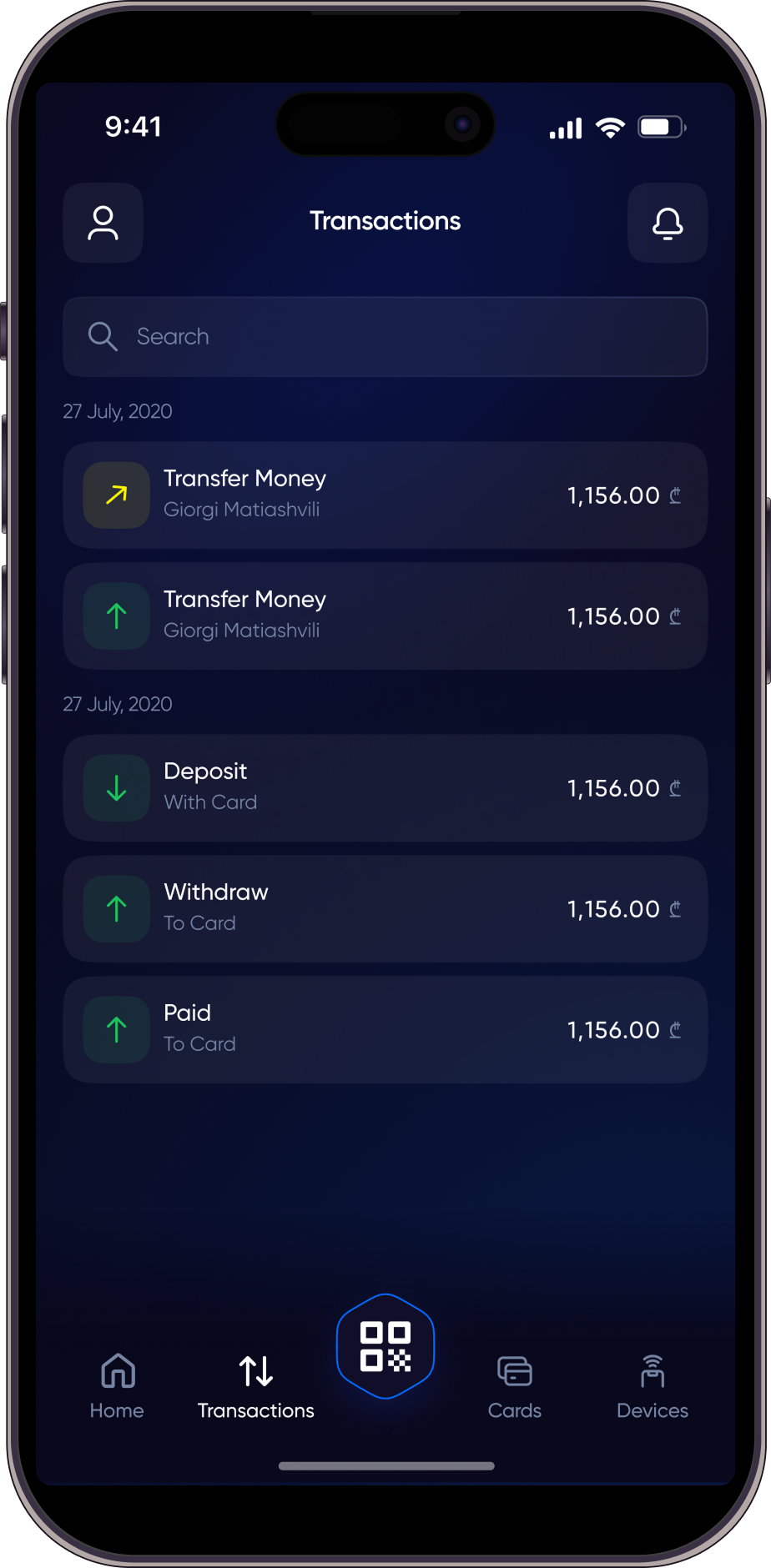
Your account balance is displayed directly on the home screen of the app. As soon as you log in, you can view your available balance and easily monitor your transactions.
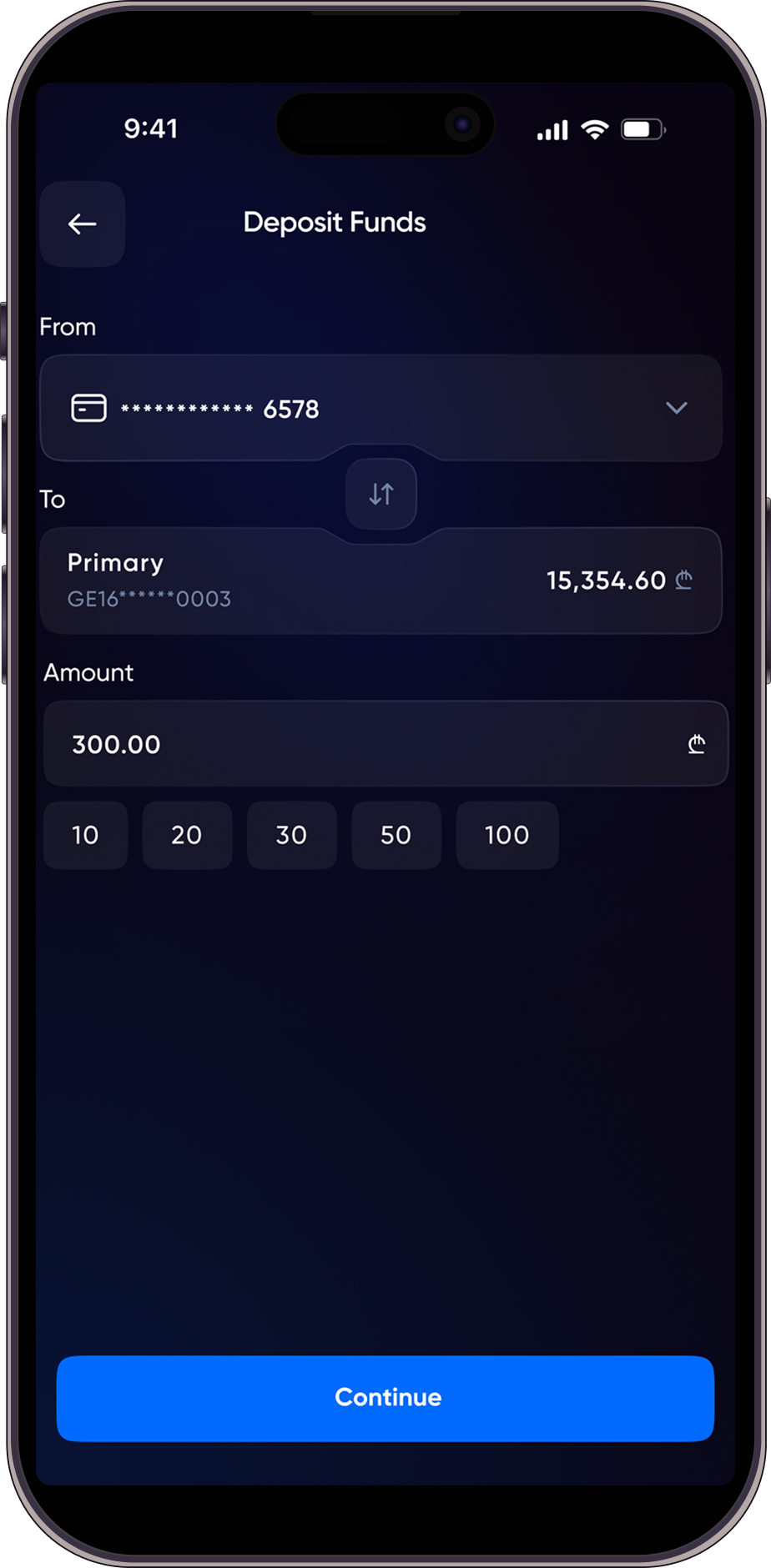
You can top up your Multipay wallet using several available options:
tbc pay terminals
tbc mobile bank
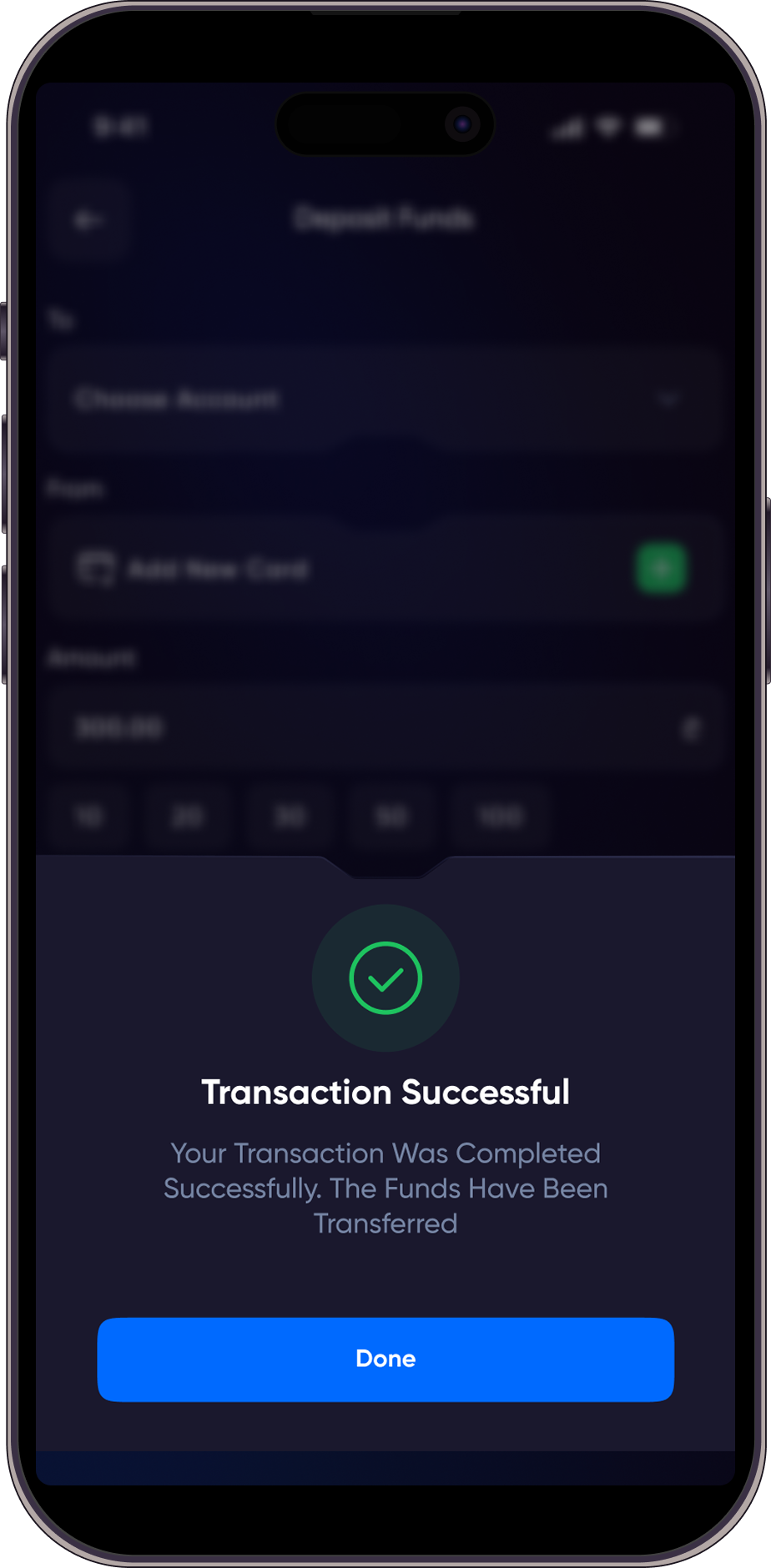
a direct deposit within the multipay app
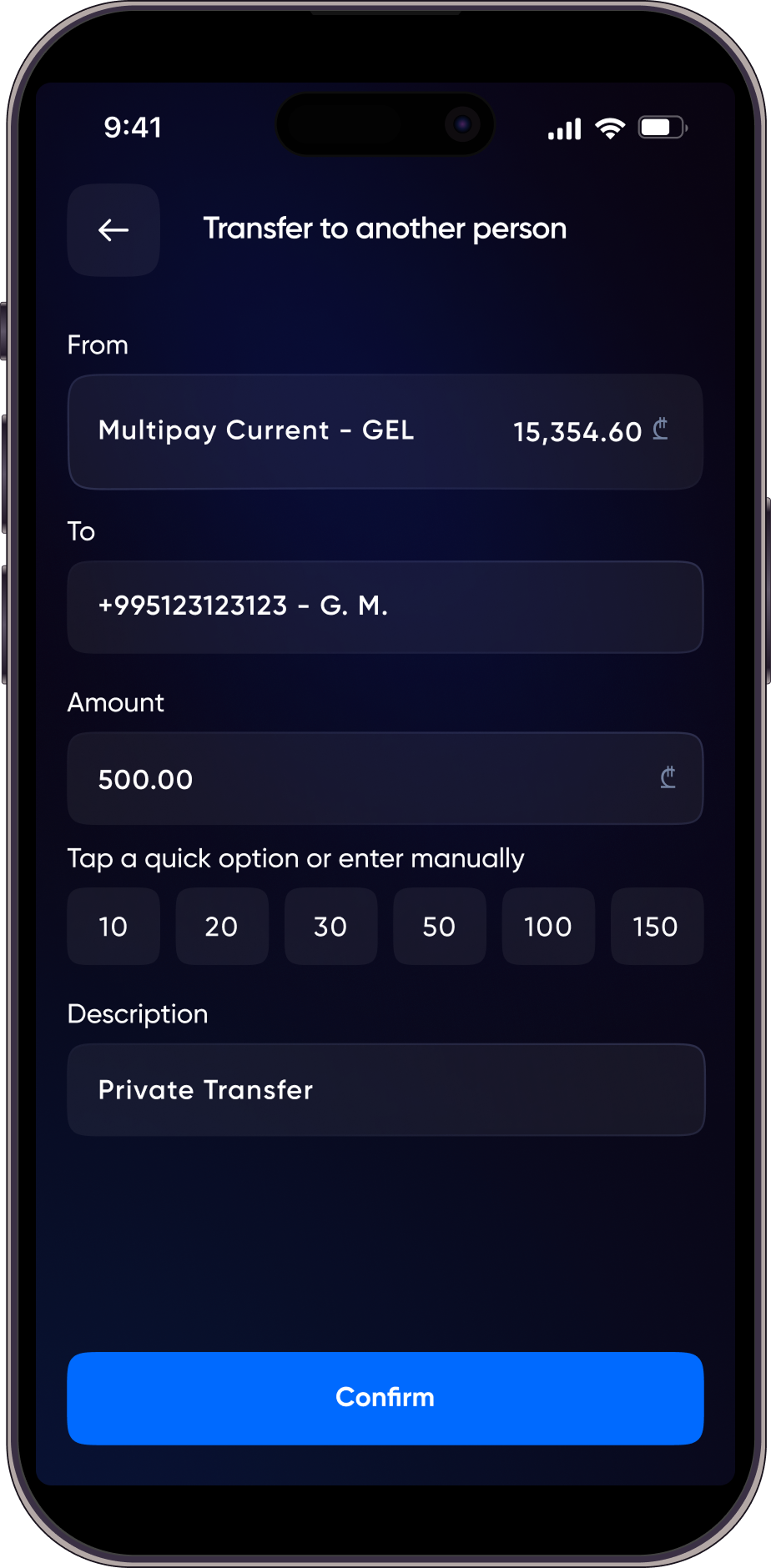
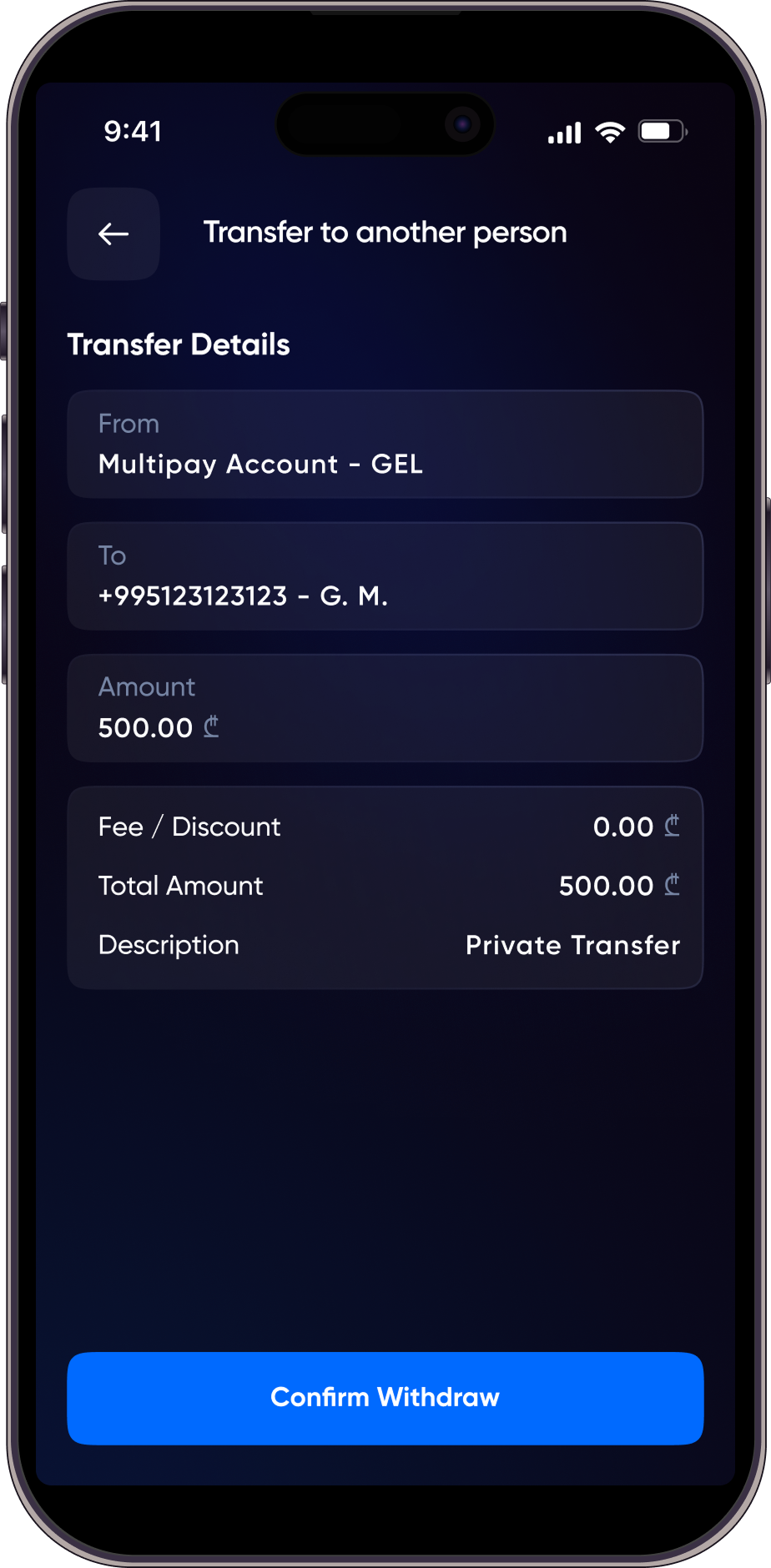
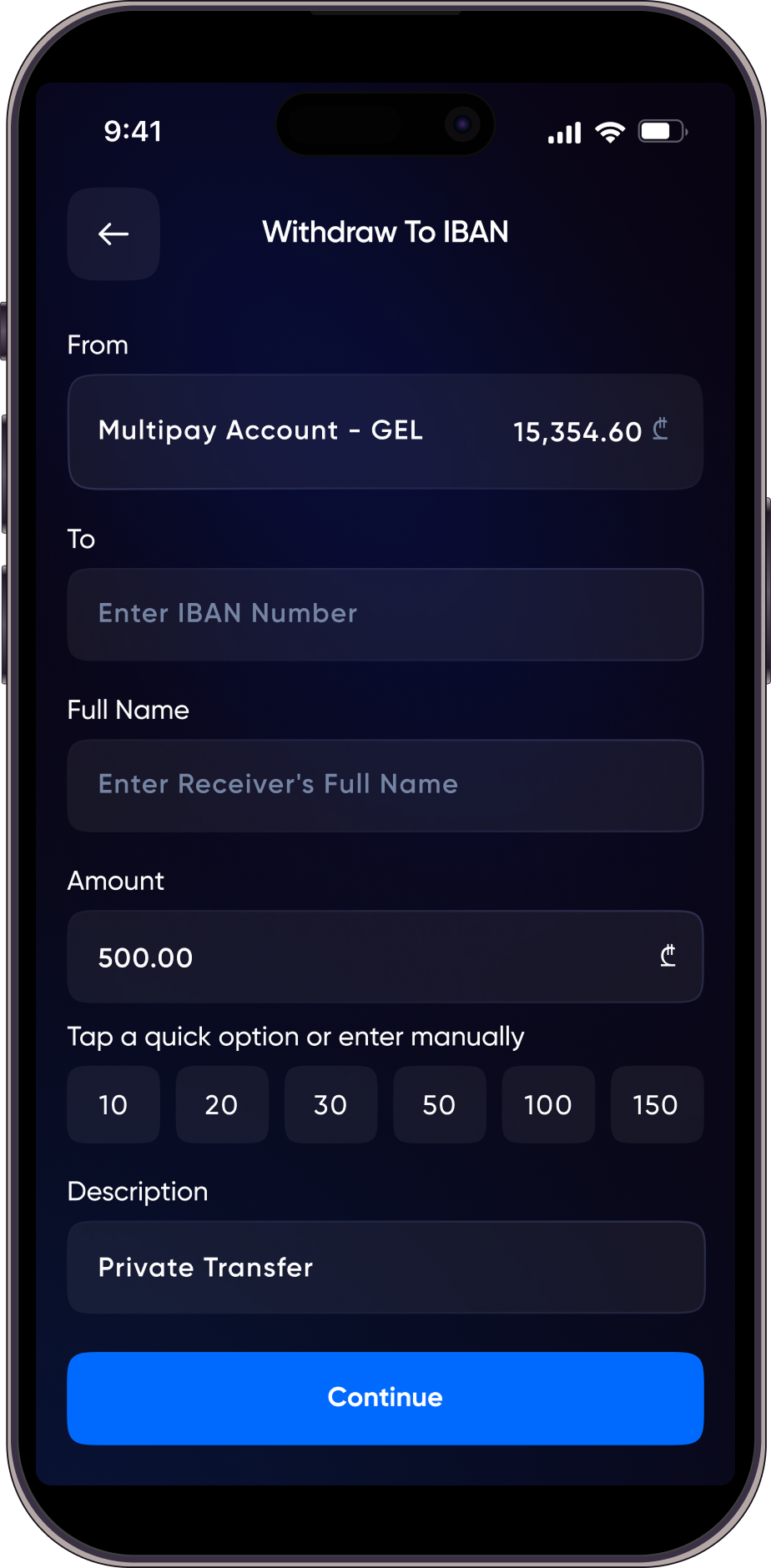
Multipay allows you to transfer and withdraw funds easily.
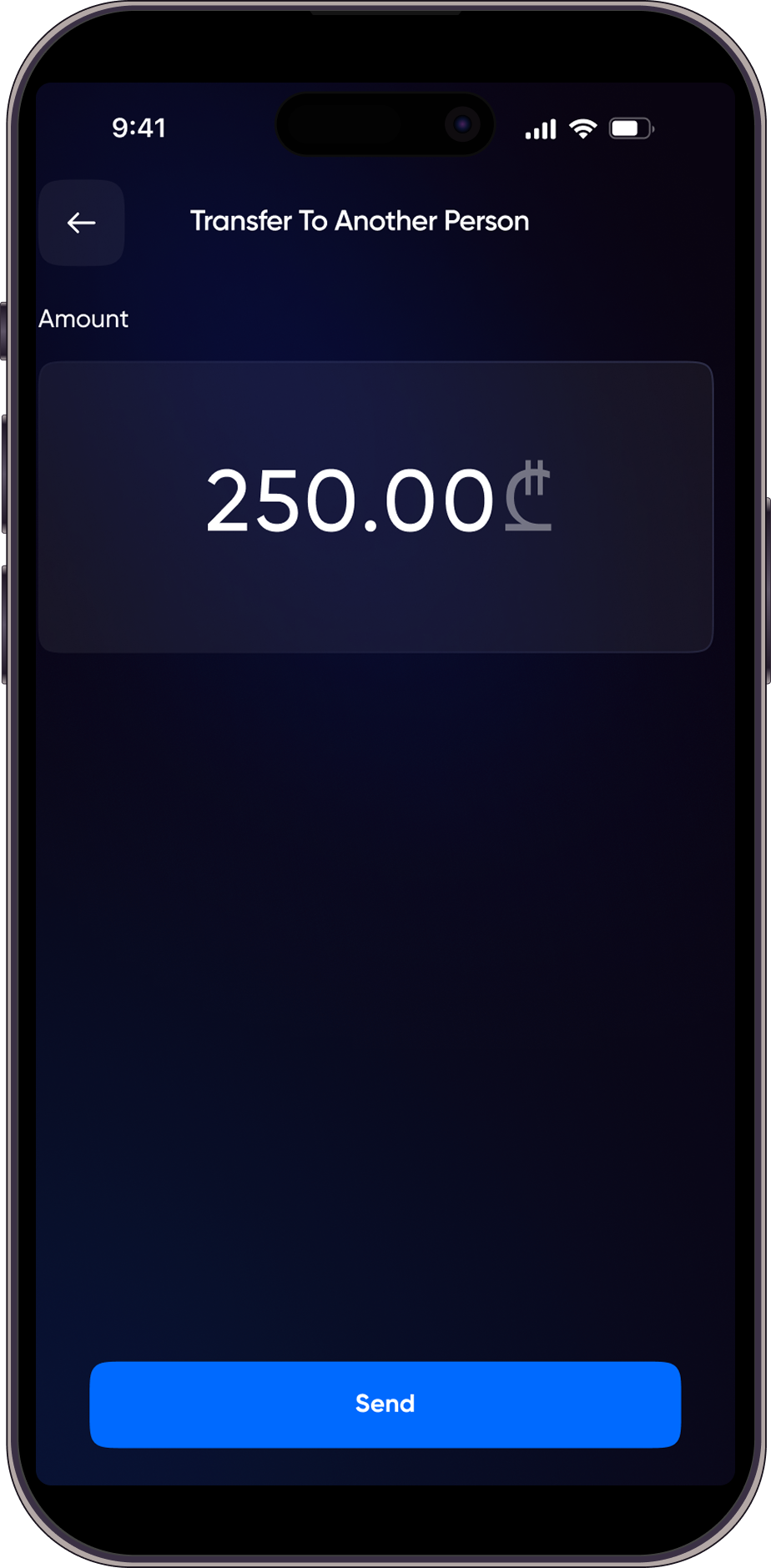
You can send money to other Multipay users using a mobile phone number or a QR code.
Funds can be withdrawn to a bank account via IBAN transfer.
The QR button provides quick access to QR-based transfers.
By tapping the QR button once, the camera opens, allowing you to scan another Multipay user’s QR code and send money.
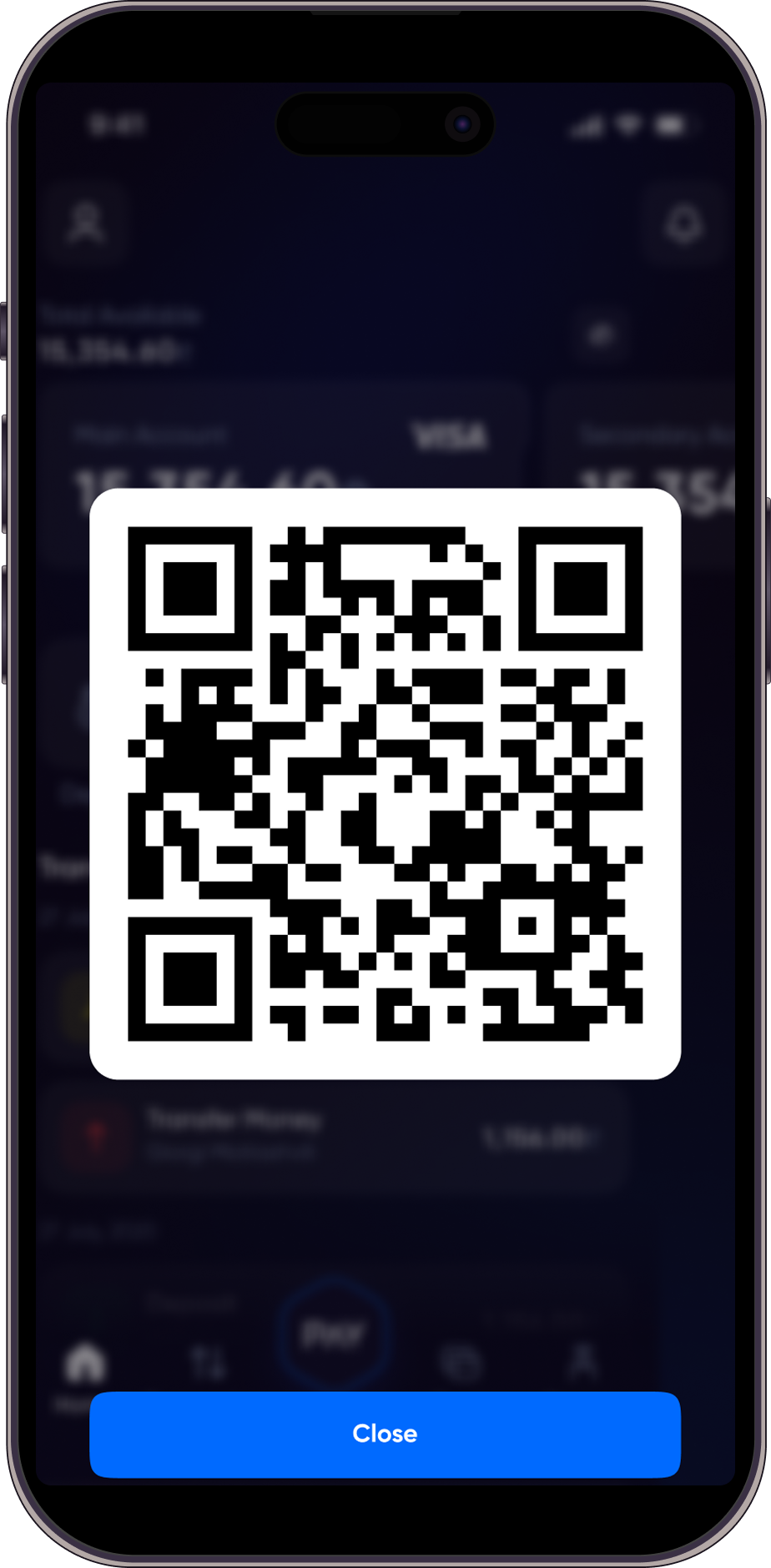
By pressing and holding the QR button for 3 seconds, your personal QR code is displayed so others can scan it and transfer funds to you.
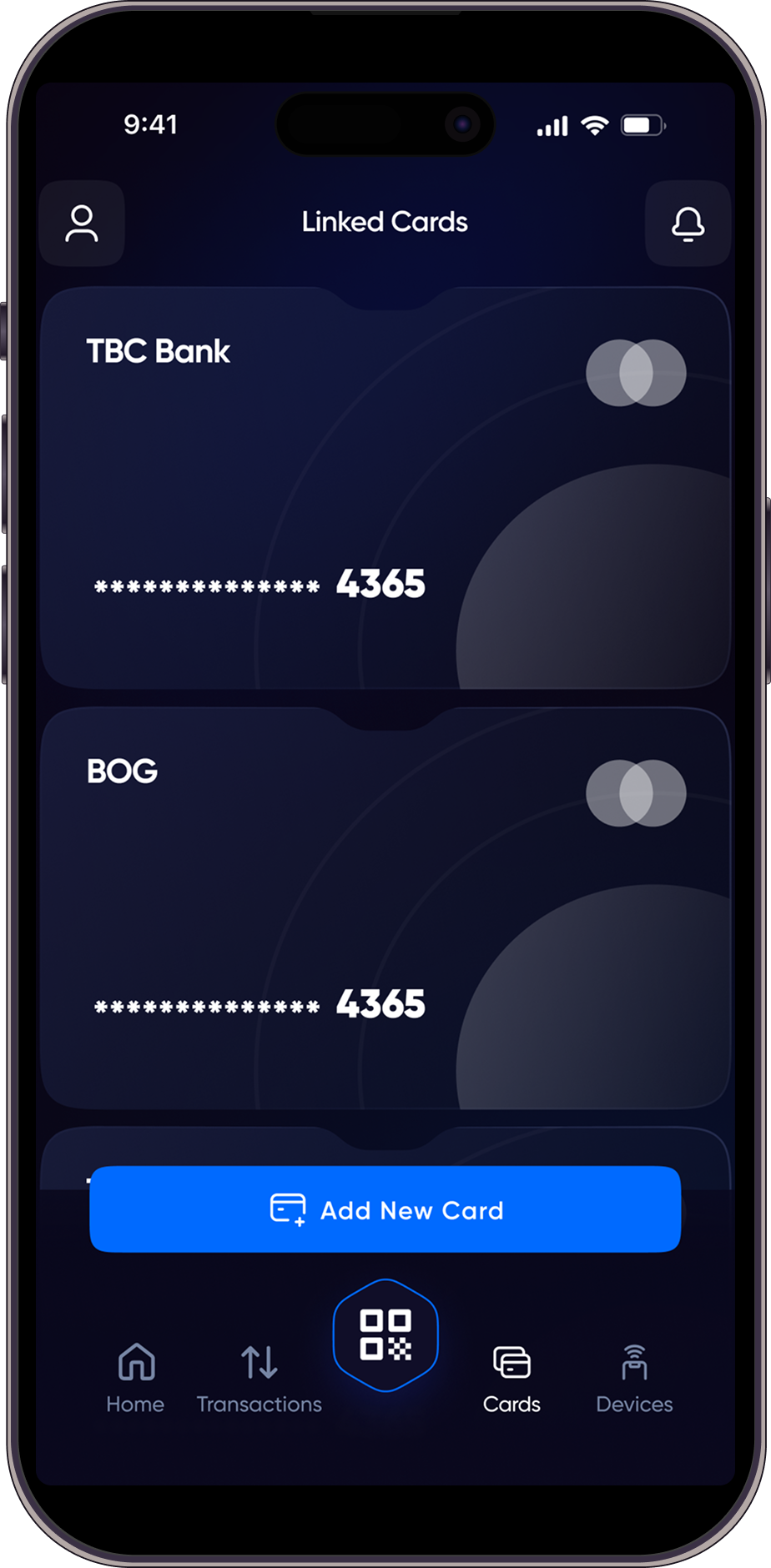
Multipay provides users with an electronic wallet. You can request a Multipay card, which will be linked directly to your wallet.
Adding external or multiple cards to the account is not supported.
Yes, the Multipay card is a paid service. Details regarding the card fee are provided during the card request process.
The Multipay card can be used exclusively at TBC Bank terminals and ATMs.
No worries! Utilize our Password Recovery feature. Simply follow the prompts in the app to reset your password securely and regain access to your account.
Stay informed by accessing our Terms and Conditions directly within the app’s settings. If there are updates or new documentation, you will receive timely notifications upon opening the app.
Multipay is free to download and use. However, certain transactions or services may have associated fees, which will be clearly displayed before you confirm the transaction.
If you encounter any issues or have questions, you can email us at support@multipay.ge . For your complaints,please contact us at complaint@multipay.ge. OR in application Simply go to Settings, then click on Report a Problem. Your concerns will be promptly addressed by our dedicated support team, ensuring a seamless experience for all our users.
PARTNERS
COMING SOON
Eu iusto dolorum pro, facer oportere duo ne. Cum ei commune instructior. Ne dicat qualisque ullamcorper.
COMING SOON
Eu iusto dolorum pro, facer oportere duo ne. Cum ei commune instructior. Ne dicat qualisque ullamcorper.
COMING SOON
Eu iusto dolorum pro, facer oportere duo ne. Cum ei commune instructior. Ne dicat qualisque ullamcorper.